Specialist service
Purpose-Built Machines for Workloads Off-the-Shelf Hardware Handles Badly
This is not our main business. We build machines for clients who have a specific workload — heavy compute, video and rendering, or large datasets that have to live locally — and it usually happens alongside the software work rather than on its own.
We keep the page because it's real work and it shows how we think: the same habit of specifying a system around what a business actually does, instead of buying the nearest catalog option and working around its limits afterwards.
Looking for software rather than hardware?
Most of what we do is building business applications around the way a company already works — order systems, portals, internal tools, automation. If that's closer to what you need, start there.
Why an Off-the-Shelf Workstation Is Often the Wrong Shape
A prebuilt workstation is designed for an average of everybody's work. If your work isn't average — long renders, model training, multi-terabyte project files, a machine that has to stay quiet and stable in a working office — you end up paying for the parts you don't use and running short on the ones you do.
- The budget goes on brand-name configuration rather than the memory, cores or storage the job actually needs.
- Long jobs throttle or crash, because the cooling was designed for office spreadsheets, not sustained load.
- Storage is fast enough for the operating system and far too slow for the working files.
- Memory caps out a year in, and the upgrade path turns out to be a new machine.
- Nobody can tell you which component is the bottleneck, so the answer is always "buy the bigger one".
What we do instead
We start from the work: what software you run, how long the jobs take, how big the files are and where they need to live. Then we specify components around that, including proven previous-generation enterprise parts where they beat new consumer hardware for the money. The result is a machine sized for your job rather than for a product line.
The Workloads This Is For
Heavy Compute
Model processing, simulation and anything that runs for hours at full load, where core count, memory capacity and error correction matter more than headline clock speed.
- Multi-CPU and high core counts
- ECC memory where correctness matters
- Cooling designed for sustained load
Video & Rendering
Editing, encoding and 3D work, where the bottleneck moves between the GPU, the storage and the memory depending on the stage of the job.
- GPU chosen for the software you use
- NVMe scratch and project storage
- Memory sized to real project files
Large Local Datasets
Work that can't sensibly live in the cloud — archives, media libraries, datasets that are too large or too sensitive to move — served fast over your own network.
- High-capacity local storage
- 10-gigabit networking
- Data kept on your premises
And if you just want a good machine
We do build straightforward business and personal systems, usually for clients we already work with. If that's all you need, a well-chosen prebuilt is often the sensible answer and we'll say so. This service earns its keep when the workload is unusual enough that the catalog options don't fit.
How a Build Happens
Understand the work
What software you run, how long jobs take today, where the files live and what the budget actually has to cover.
Specify the components
Parts selected for compatibility and for your workload, including enterprise hardware where it outperforms newer consumer kit at the same price.
Build and test
Assembly, cable management and thermal work, then testing under sustained load rather than a quick boot and hand-off.
Deliver and set up
Delivery, operating system and software configuration, and an explanation of what can be upgraded later and what can't.
Warranty and support, stated plainly
Components carry their manufacturers' own warranties, and we handle the diagnosis and the replacement rather than leaving you to argue with a supplier. We support the machines we build and we'll do the upgrades when the time comes — we don't advertise a guarantee we can't back.
Under the Hood: A Real Build
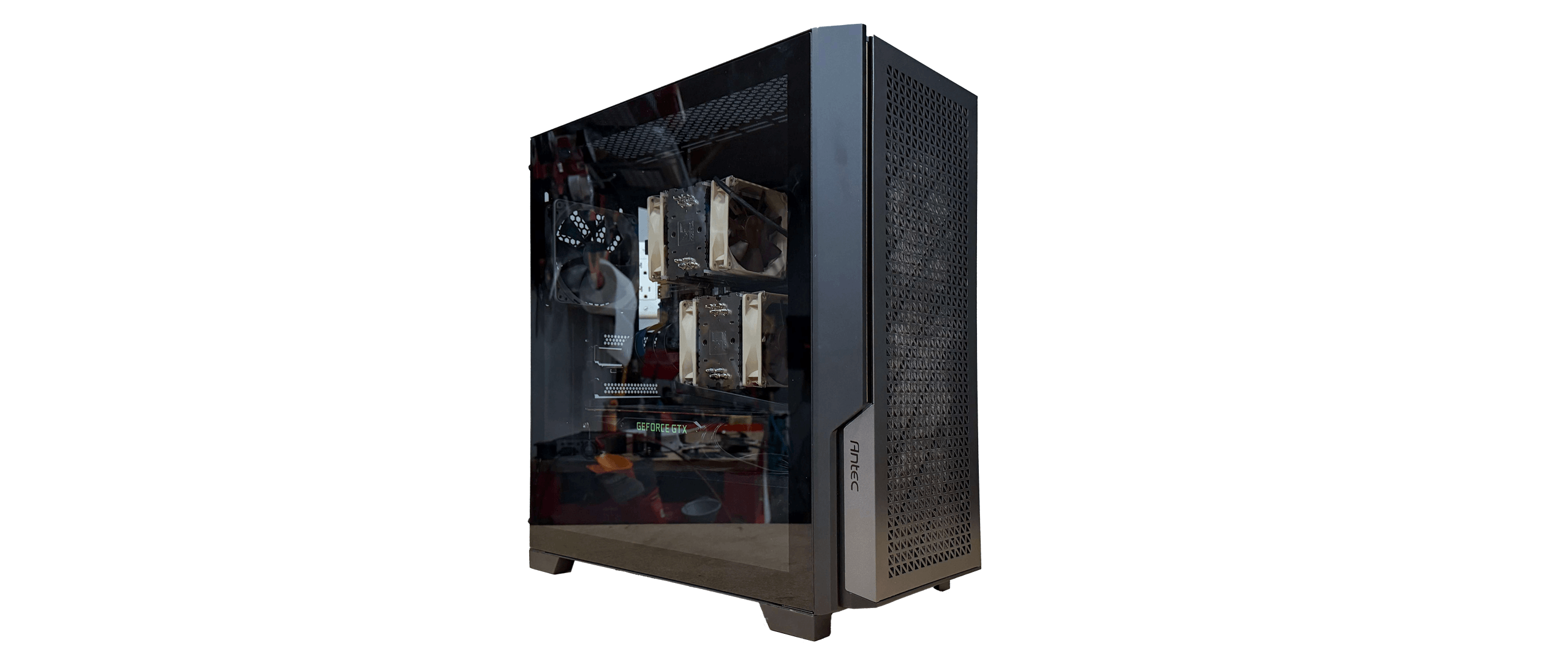
For the technical evaluators — the specification we shipped and the reasoning behind it.Rhino Server Build
A workstation specified around one client's actual workloads: model processing, video rendering and high-speed local storage running at the same time. Dual Intel Xeon E5-1650 v4 processors give 12 cores and 24 threads, with 128GB of ECC server memory so long jobs aren't undone by a memory error, dual 2TB NVMe SSDs for working files, a GPU for acceleration and 10-gigabit networking on the board.
Choosing proven previous-generation enterprise components rather than the newest consumer parts is what made that specification affordable. Every part was checked for compatibility, then assembled with cable management, thermal work and testing under load before it went out.
Processors & Graphics
Platform chosen for the job: server-class CPUs where cores, memory capacity and ECC support matter; consumer parts where single-thread speed and price matter more.
Storage & Memory
Storage is tiered to the work — NVMe for the files being worked on, bulk capacity for everything else — and memory is sized to real project files rather than to a spec-sheet number.
The Same Approach at Rack Scale
The hardware work doesn't stop at single machines. We designed and built the multi-node server infrastructure that our clients' applications run on: enterprise component selection, a modular chassis architecture with independent compute nodes, and assembly and testing done to production standards.
Have a workload that keeps outgrowing its hardware?
Tell us what you run, how long it takes today and where the files live. We'll tell you what's actually holding it up — and whether a build is even the right answer.